typecad-hal trace: CPU load, stack headroom and frame budgets — from the board itself
September 25, 2026
We ship hardware, and the question that keeps coming back on the bench is embarrassingly basic: what is the board actually doing? Which thread eats the cycles, how close is the stack to its floor, why did that frame take 30 ms. The usual answers are a probe we don't want to carry, a debugger session, or eyeballing printf timestamps. As of today, typecad-hal has a different answer: one config record bakes a small sampler into the firmware, and everything else — viewer, gates, drift checks, test assertions — reads it over the serial console you already have.
zephyr: {
  trace: { enabled: true, intervalMs: 1000 },
},
What the sampler sees
Every interval, a work-queue job prints one line per thread: execution cycles and unused stack. For UI programs it also prints frame counts and the time each ui_tick phase took. That's the whole device side — no context-switch hook, no ring buffer, one short visit per interval, riding the same console the test runner uses.
The host does the math. CPU percentages are delta cycles over delta cycles, so idle shows up as its own lane and the lanes sum to ~100%:
Trace report — 75 samples over 74.0s (port COM9)
UI frames: 5286 frames, avg 1.5 ms, worst 34 ms
UI tick phases: bindings 0% (0 µs) · transitions 44.1% (221.0 ms) · draw 55.9% (280.2 ms) · ...

Thread      CPU avg  CPU max  Stack peak  Stack size  Headroom
idle          92.7%    92.8%       208 B      1024 B     816 B
main           6.8%     7.0%      1152 B      8192 B    7040 B
sysworkq       0.5%     0.5%       736 B      8192 B    7456 B
Stack headroom is the high-water mark — the number a static stack estimate should be checked against, not a guess.
Watch it live
trace view serves a timeline in your browser: CPU lanes, the frame-time line, the tick-phase spans, and your own Trace.mark() events. Captures longer than a minute settle into a rolling window — the columns stop shrinking — and a slider pans back through everything recorded. trace capture --forever keeps the file live while the viewer polls it, so a board burning in on the bench has a chart you can glance at.
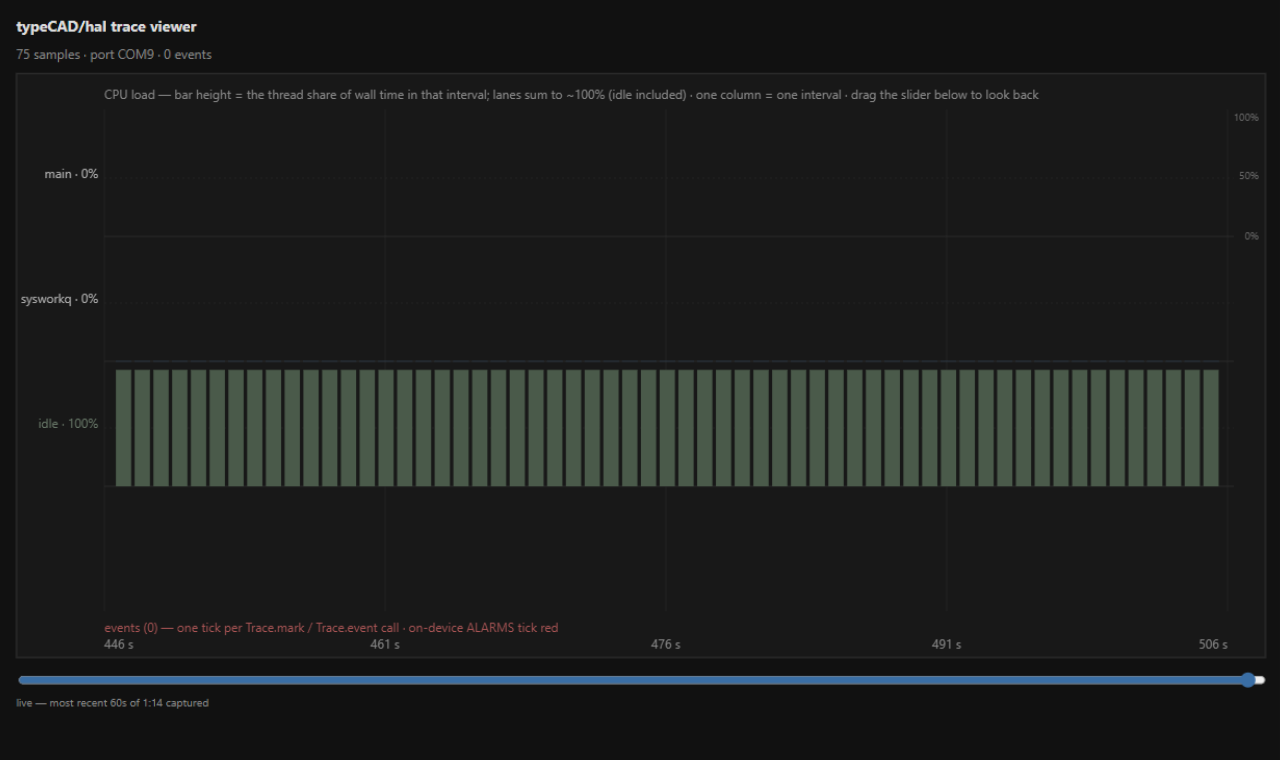
The same viewer ships as the Trace panel in the VS Code extension, and the Diagnostics panel renders the build --diagnostics report — execution flow, pin usage, the SRAM map — with diagrams.
Gates and drift
A capture can be a release gate. trace capture --flash --gates-file trace-gates.json rebuilds, reflashes, records, and judges in one command — exit 0/1 is the verdict:
{
  "gates": [
    "cpu-avg:main<=50",
    "cpu-max:idle>=95",
    "frame-max<=20",
    "stack-min:main>=256"
  ]
}
A gate on data the capture doesn't have fails rather than silently passing — frame-max on a headless build tells you so.
Every green capture also stamps its report beside the build, and --baseline compares the next run against that stamp. A metric regresses when it moved against you by more than --drift percent (default 10; CPU metrics floor at 3 percentage points, so noise on a quiet thread can't fail a run). The stamp only advances on green runs — a regressed capture never moves the goalposts:
Baseline drift (regressions first):
  metric            thread          baseline   current   verdict
  cpu-avg           idle            91.8       91.7      ok
  cpu-avg           main            6.7        6.7       ok
  stack-min         main            7216       7216      ok
  frame-max                         43         44        ok
✓ baseline drift within 10%
Alarms run on the device
Gates need a host. Alarms don't:
trace: {
  enabled: true,
  alarms: { stackMinBytes: 256, frameMaxMs: 50 },
},
With thresholds set, the sampler prints an alarm the moment a thread's headroom drops under the floor or a frame blows the ceiling — no cable attached, no capture running. When you do read the stream, alarms tick red on the viewer's events axis and aggregate in the report.
Budgets as test assertions
The part we ended up liking most: a hardware test can assert a runtime budget the same way it asserts a pin reading.
describe('animation budget')
  .it('redraw stays cheap').expect(frames).toBe(1)
  .trace('cpu-avg:main<=30', 2500)
  .trace('frame-max<=20', 0);

done();
The verdict is computed host-side, over the heartbeats that landed inside that test, and it fails with the numbers it saw — from a real run:
trace budgets > main cannot be busy

    expect(actual).traceGate(cpu-avg:main>=90)
    Actual:   main: avg 0%, max 0% (over 2 intervals)
    Expected: trace gate cpu-avg:main>=90 to hold over the test's heartbeats
One typecad-hal test run now checks behavior and budgets together.
What it isn't
It's sampling, not event tracing. At the default 1 Hz you'll see load, headroom and frame times trend; you won't see individual context switches — that needs a probe transport we haven't built. Heap isn't sampled because emitted C++ is no-malloc by construction, and the series would be a flat line. We'd rather say that now than have you find out.
The full reference — config, flags, the gate grammar, the assertion API — is on the Runtime Tracing docs page.