Runtime Tracing
One config record bakes a small sampler into your firmware. Every interval it prints per-thread CPU cycles, stack headroom and — for UI programs — frame times on the console. The host side turns that stream into CPU lanes, regression gates, drift checks and test assertions. No probe, no JTAG, nothing to install on the device beyond a printf you already have.
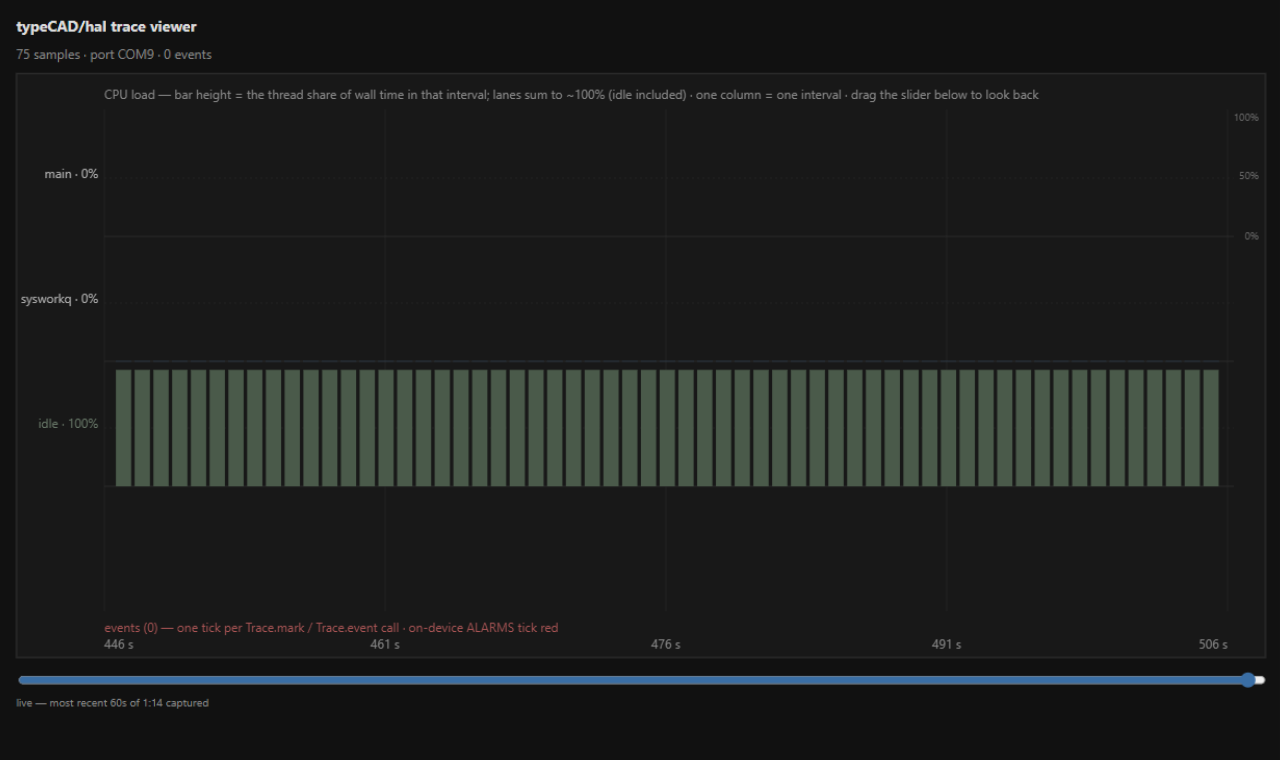
trace view over a 74-second capture. Once history outgrows the 60-second window
the column width settles and the slider pans back through everything recorded. Alarms tick red
on the events axis.zephyr.trace
Turn the sampler on. A k_work_delayable visits every interval, reads the kernel's per-thread runtime stats, and prints [TR: lines on the console — the same channel the test runner uses. The scaffold enables exactly the Kconfig it needs.
Example first
import type { TypecadConfig } from '@typecad/hal/config';

const config: TypecadConfig = {
  board: 'esp32s3_devkitc/esp32s3/procpu',
  framework: '@typecad/framework-zephyr',

  zephyr: {
    trace: {
      enabled: true,
      intervalMs: 1000,              // default; clamped 50-60000
      alarms: { stackMinBytes: 256, frameMaxMs: 50 },
    },
  },
};

export default config;
CPU percentages are computed host-side as delta cycles over delta cycles, so idle shows up as its own lane and the lanes sum to ~100%. Heap usage is deliberately not sampled — emitted C++ is no-malloc by construction, so the series would be a flat line.
trace capture
Records heartbeats from the board into trace.json, evaluates gates in the same process, and stamps the report beside the build. Progress goes to stderr; stdout stays clean.
Example first
# capture 10s, judge against committed gates, one exit code
npx typecad-hal trace capture --flash --gates-file trace-gates.json --duration 10

# continuous: capture until Ctrl+C, viewer updates live
npx typecad-hal trace capture --forever
npx typecad-hal trace view| Flag | Meaning |
|---|---|
| --port <p> | Serial port; the lone attached port is auto-picked |
| --duration <s> / --forever | Fixed length, or run until Ctrl+C (trace.json stays live for the viewer) |
| --flash | Rebuild + reflash first — source change to verdict in one command |
| --gate <expr> / --gates-file <f> | Gates evaluated after the capture; exit 0/1 is the verdict |
| --baseline [path] / --drift <pct> | Drift check against the last green run (more below) |
| --quiet | stdout becomes a single JSON summary line — clean pipes for CI and agents |
Untraced firmware fails fast with exit 2 and the rebuild remedy instead of a silent empty capture. A Ctrl+C keeps whatever was captured — a partial capture is evidence, not garbage.
trace report
Summarizes a capture: per-thread CPU load, stack high-water marks, UI frame and tick phase stats. The same gates run here, over an existing artifact.
Example first
Trace report — 75 samples over 74.0s (port COM9)
UI frames: 5286 frames, avg 1.5 ms, worst 34 ms
UI tick phases: bindings 0% (0 µs) · transitions 44.1% (221.0 ms) · draw 55.9% (280.2 ms) · ...

Thread      CPU avg  CPU max  Stack peak  Stack size  Headroom
idle          92.7%    92.8%       208 B      1024 B     816 B
main           6.8%     7.0%      1152 B      8192 B    7040 B
sysworkq 0.5% 0.5% 736 B 8192 B 7456 B{
"gates": [
"cpu-avg:main<=50",
"cpu-max:idle>=95",
"frame-max<=20",
"stack-min:main>=256"
]
}| Gate | Checks |
|---|---|
| cpu-avg:thread<=n | The thread's average CPU share over the capture (%) |
| cpu-max:thread<=n | The worst single interval (%) |
| frame-max<=n | Worst UI frame in ms (UI programs) |
| stack-min:thread>=n | Stack headroom at the high-water mark, in bytes — a minimum bound |
A gate on data the capture doesn't have is a failure, not a silent pass — frame-max on a
headless build tells you so. --worst 5 answers which interval spiked, and in
which tick phase.
Drift against the last good run
Every green capture stamps its report beside the build. Pass --baseline (bare, for
the stamp, or with a path) and the fresh capture is compared against it — a metric regresses when
it moved against you by more than --drift percent, default 10. CPU metrics floor at
3 percentage points, so noise on a quiet thread can't fail a run. The stamp only advances on a
green run: a regressed capture never moves the goalposts.
Baseline drift (regressions first):
  metric            thread          baseline   current   verdict
  cpu-avg           idle            91.8       91.7      ok
  cpu-avg           main            6.7        6.7       ok
  stack-min         main            7216       7216      ok
  frame-max                         43         44        ok
✓ baseline drift within 10%
Budgets as test assertions
A test chain can end in .trace(). The gate grammar is the same one the CLI uses;
the verdict is computed host-side over the heartbeats that landed inside that test, and it fails
the test with the numbers it saw.
import { describe, done } from '@typecad/hal/testing';

describe('animation budget')
  .it('redraw stays cheap').expect(frames).toBe(1)
  .trace('cpu-avg:main<=30', 2500)
  .trace('frame-max<=20', 0);

done();trace budgets > main cannot be busy
expect(actual).traceGate(cpu-avg:main>=90)
Actual: main: avg 0%, max 0% (over 2 intervals)
Expected: trace gate cpu-avg:main>=90 to hold over the test's heartbeatsA heartbeat only closes when the next one arrives, so give the assertion a dwell — about 2.5x
the trace interval is a safe floor. The test firmware inherits zephyr.trace from
your project config; without it the assertion fails with the remedy instead of guessing.
The report panel
build --diagnostics writes a full report beside your code — execution flow, pin
usage, the SRAM map, stack paths, timing, all with diagrams. The VS Code extension renders it,
maps the actionable findings into the Problems panel, and jumps to the source line.
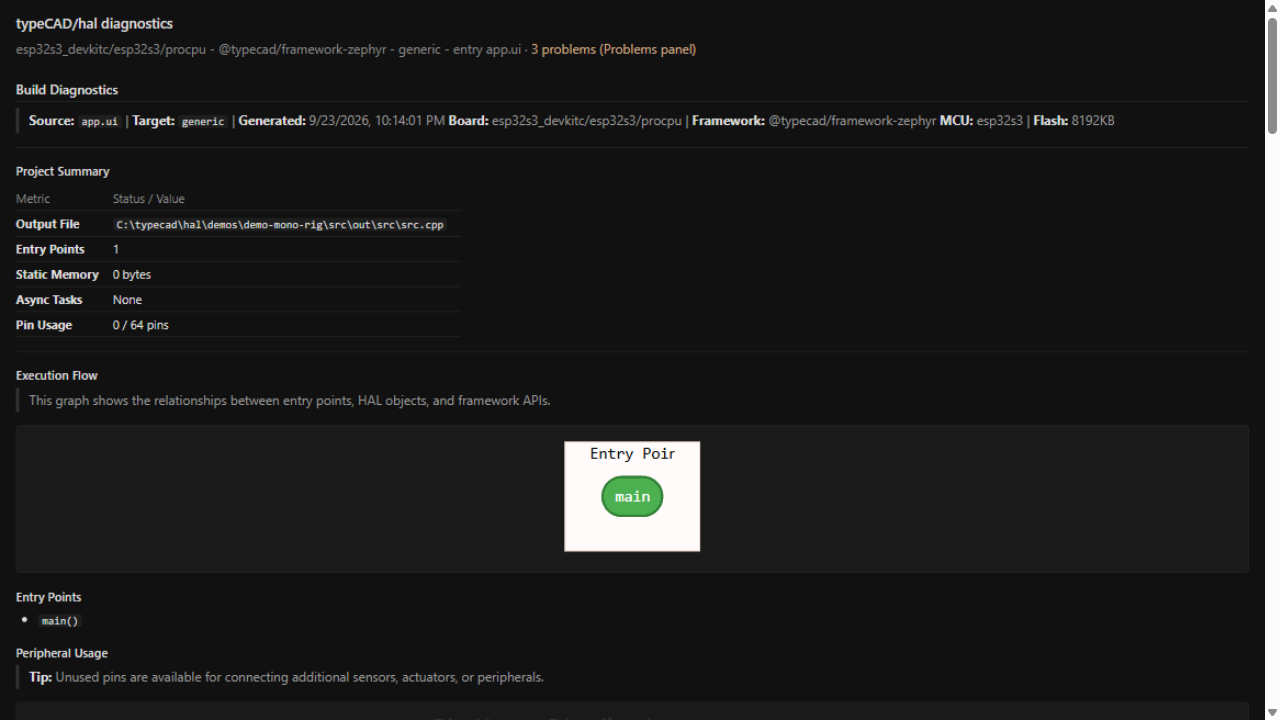
typeCAD/hal: Diagnostics — Generate Report.